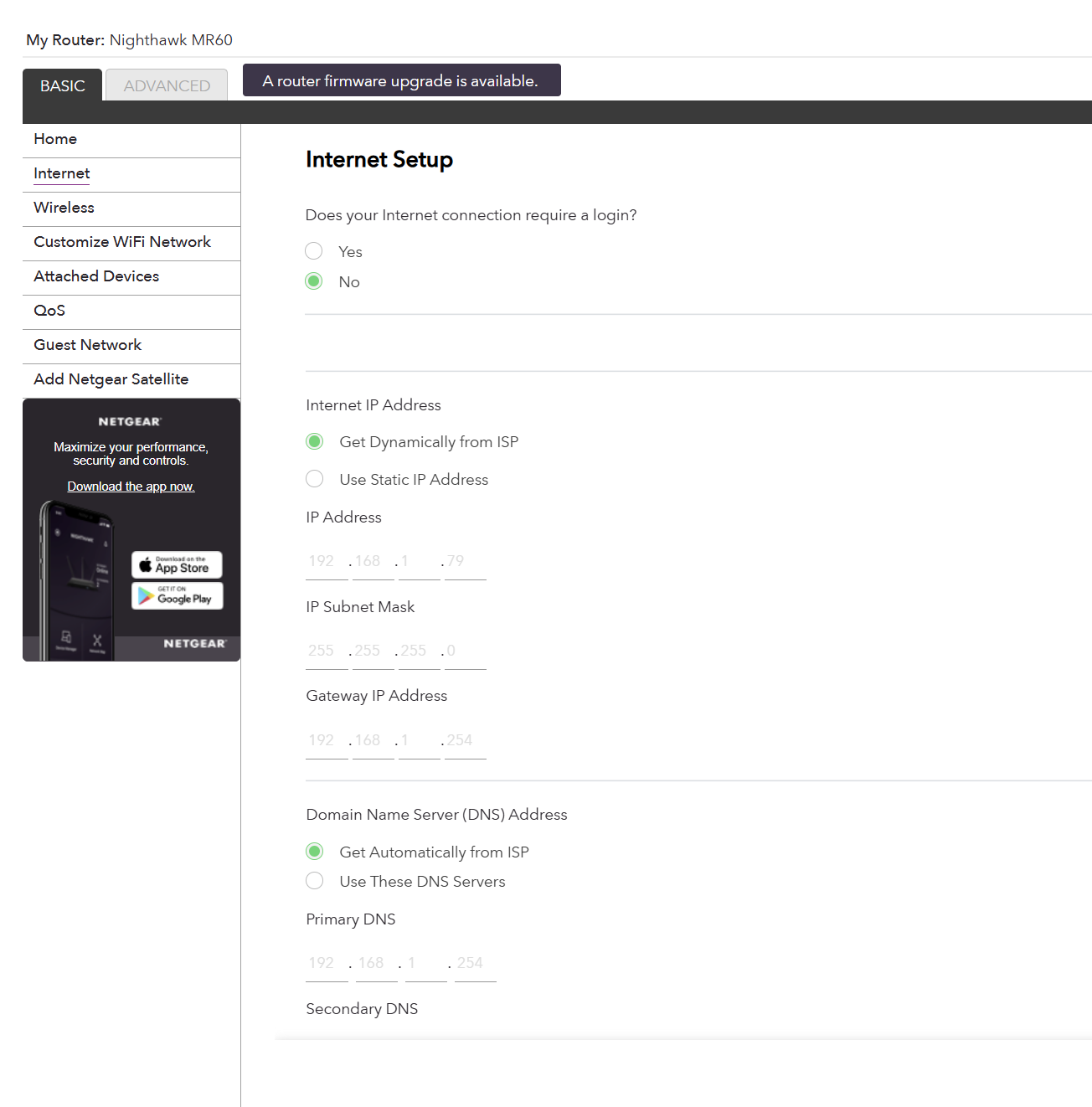
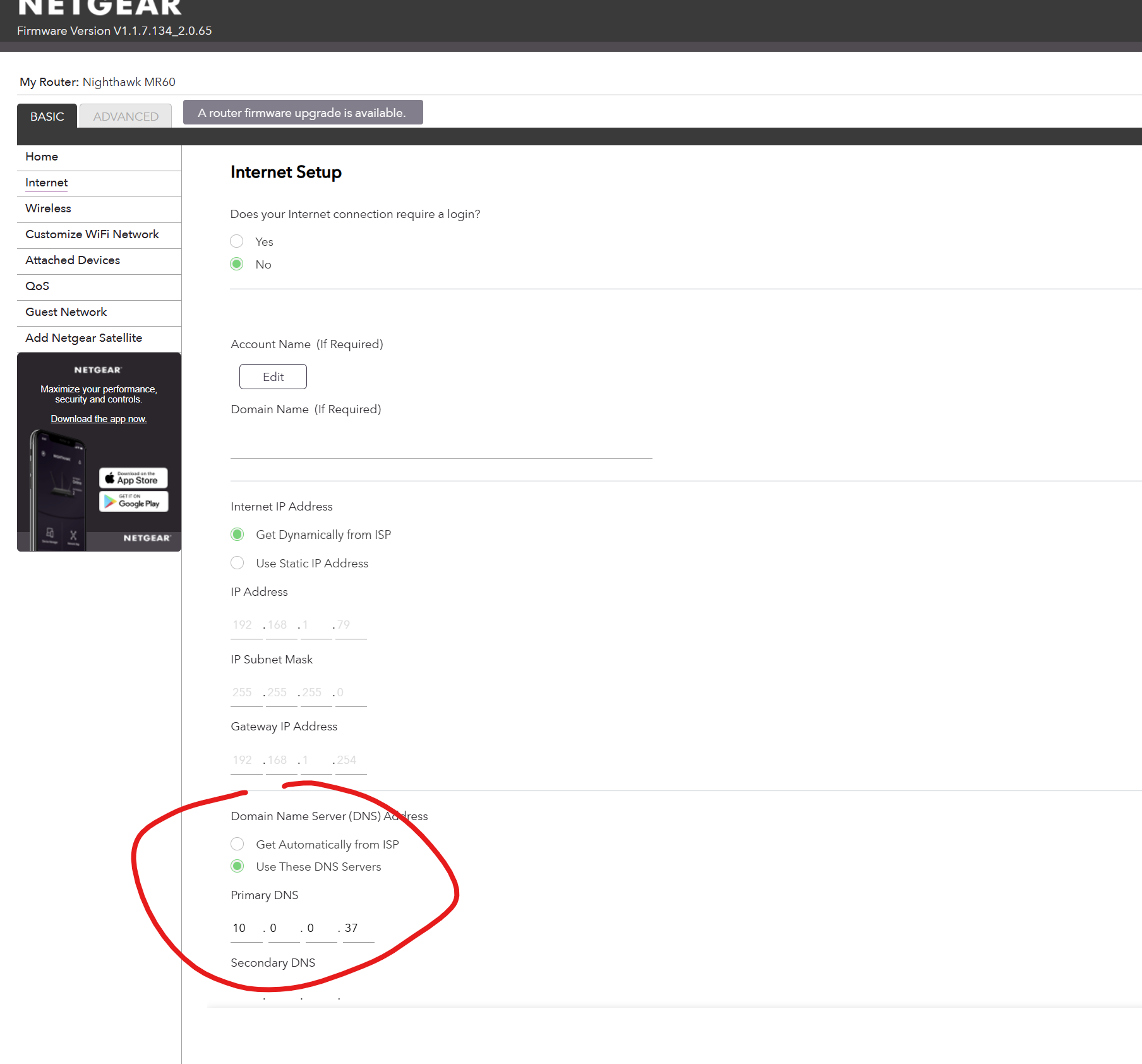
Depending on what you are trying to achive, many times you do NOT want to set the router’s DNS to something inside your own network. You ‘may’ want to change the DHCP server configuration on it to serve up your internal address for clients, but changing the router’s DNS means it will try to use it for its own lookups, which are likely failing.
Pi-Hole is refusing DNS Queries from your Routers WAN Interface and that’s probably why everything fails
You should set it at the LAN side and leave the WAN side on Automatic.
Also please configure your Pi-Hole with a Static IP Address in Raspberry Pi OS self and count on your Static DHCP Mapping to be just a Backup in case something goes wrong
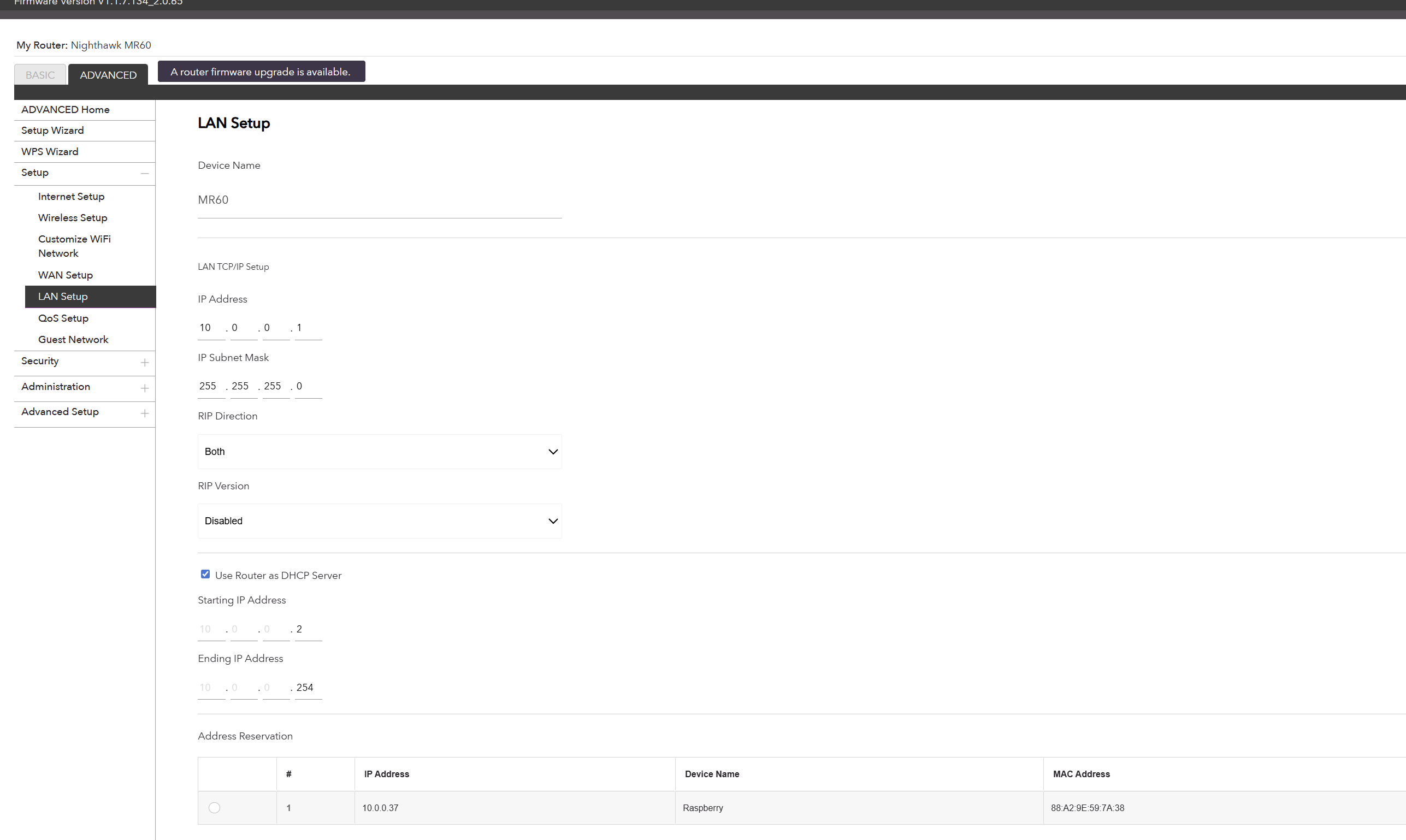
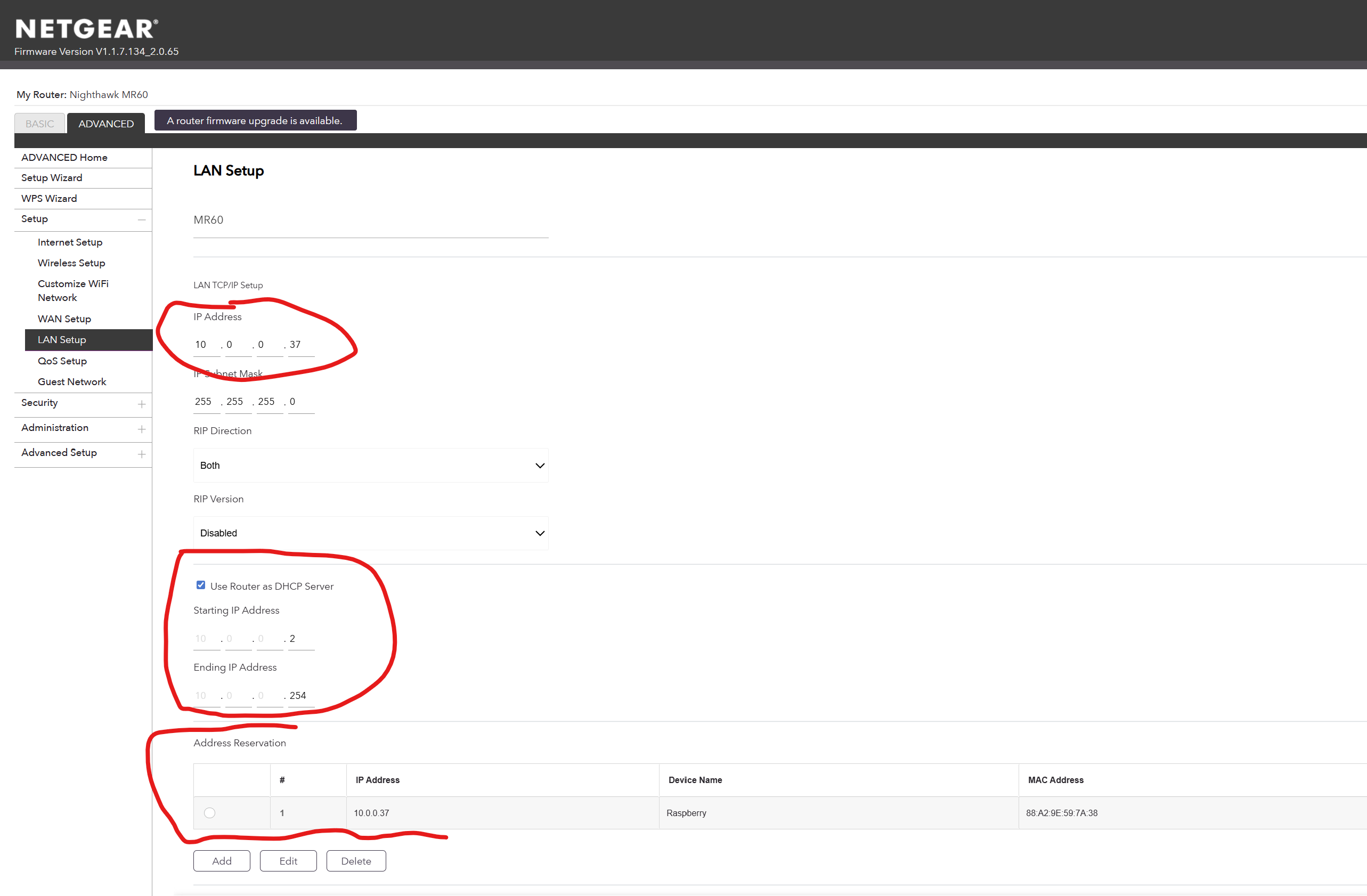
Basically, I changed LAN IP Address from 10.0.0.1 to 10.0.0.37 which is IP address of the Raspberry PI and update static IP in Raspberry with following steps.
I’m pretty sure you do NOT want to change the ‘first red circled’ field. I do not have familiarity with that router but I think that’s its address, which was probably .1. That is why your below DHCP configs start at .2.
You want to be careful about how you set up your DHCP on the router. It looks like in your screen shot, your starting address is .2 all the way up to .254. If you make your Pi have a static, self-assigned address of .37…it’s well in the range your router could give out. That would be bad for both devices with the same address. A good option is to lower the start from .2 to something else .10 or more to give yourself room for some static addresses at the beginning. Or you could ‘reserve’ the end. You could also just ensure your router hands out .37 to your Pi always, by setting up a reservation such that nothing would ever be given .37 unless its MAC matched. It’s your choice. You might consult the forums for your router if you have questions though.
As far as how to configure your static IP address on the Pi, you would have to consult the documentation for which ever distro you are using. Many modern ones use NetworkManager and don’t have or observe /etc/dhcpcd.conf.
This is indeed not the way to adjust the DNS Server IP Address !!! @Vishal_Patel
It depends on the DHCP Server running on his Router really :
DNSmasqd doesnt mind or even wants you to have all Static DHCP Mappings within the Subnet Range.
Other software like KEA and the now EOL ISC want you to do it outside the Subnet Range.
So as long as the Router’s webGUI doesn’t spit out any errors you should be fine
As of Raspberry Pi OS based on Debian 12.x NetworkManager is the default option.
You can change settings easily via nmtui which is sort of graphical and there is also nmcli for more options, but without a graphical interface ofcourse.
If your outdated RaspBian/Raspberry Pi OS version still uses /etc/dhcpcd.conf then you need to add at least the netmask to the configuration
But since you want it to have a working internet connection you need to add the gateway too !!
And to resolve domainnames either use the Pi-Hole self or something like 1.1.1.1/9.9.9.9 as the DNS Server because otherwise you can´t run apt commands or update your gravity for example